Smarsh Central has the following login options:
1. Use "Professional Archive" Login -
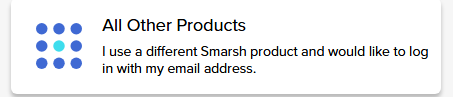
2. Use the "All Other Products" login
- This is for customers that do not have a Professional Archive account, or a Professional Archive login (used for app.smarsh.com)
- Common uses for this include:
- Capture Mobile only customers, that are not using the Professional Archive
- Call Cabinet customers
- If you don't know your Email Login information, please contact the Smarsh Admin at your organization.
3.Smarsh Employee Login - for Smarsh employees only.
Video Tutorial
Forgot Your Password or Username?
Professional Archive Forgot Password
- Click 'Professional Archive'
- You will be taken to the Professional Archive login page to reset your password.
- Click 'Forgot your password?' As Professional Archive and Smarsh Central use the same login information, this will also reset your Professional Archive login information.
Professional Archive Forgot Username
- Click this link to recover your Username https://app.smarsh.com/my/AuthenticationRecovery/ForgotUsername
- Enter the email address connected to your account and click Recover Username
All Other Products users
- Click 'All Other Products'
- Click 'Forgot your password' on the login page to reset your password.
- Enter the email address used when the account was created as your Username
- An email will be sent with instructions
I'm not sure which to use
- If you see the login screen in the screenshot below to log into your product/archive, you'll click Professional Archive to log in to Smarsh Central
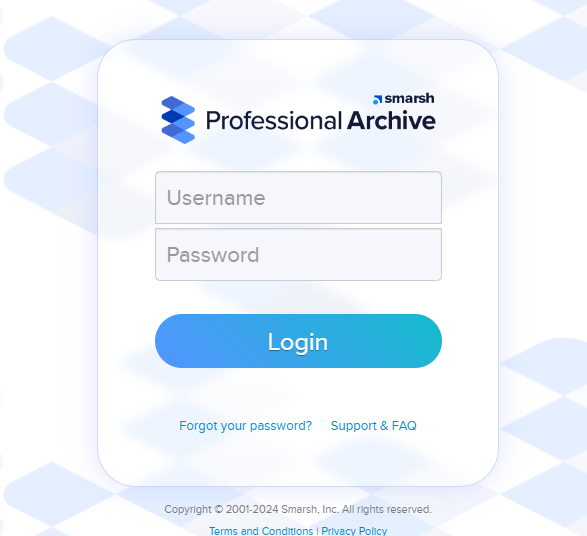
- If it DOESN'T look like the screenshot above, please use All Other Products.
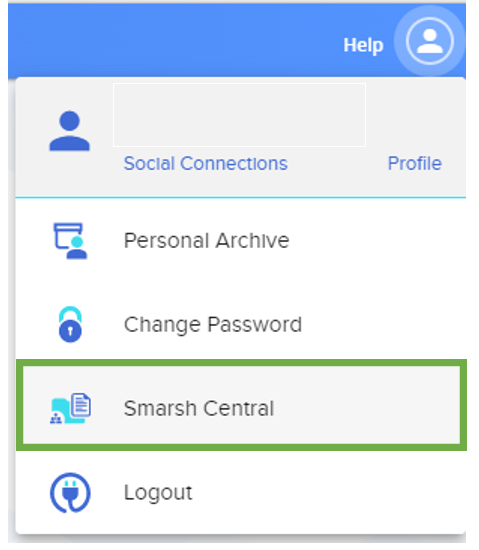
Note: Professional Archive customers can bypass the login page by accessing Smarsh Central from within Professional Archive by clicking the person icon in the top right and expanding the dropdown menu.
I don't think I have login information for Smarsh Central
If you don't think you have login information for Smarsh Central, contact the Smarsh Admin at your organization.